Locker Management Software
The leading supplier of storage solutions in any industry providing shelving, lockers, casework, and everything in between.
Locker management made easy.
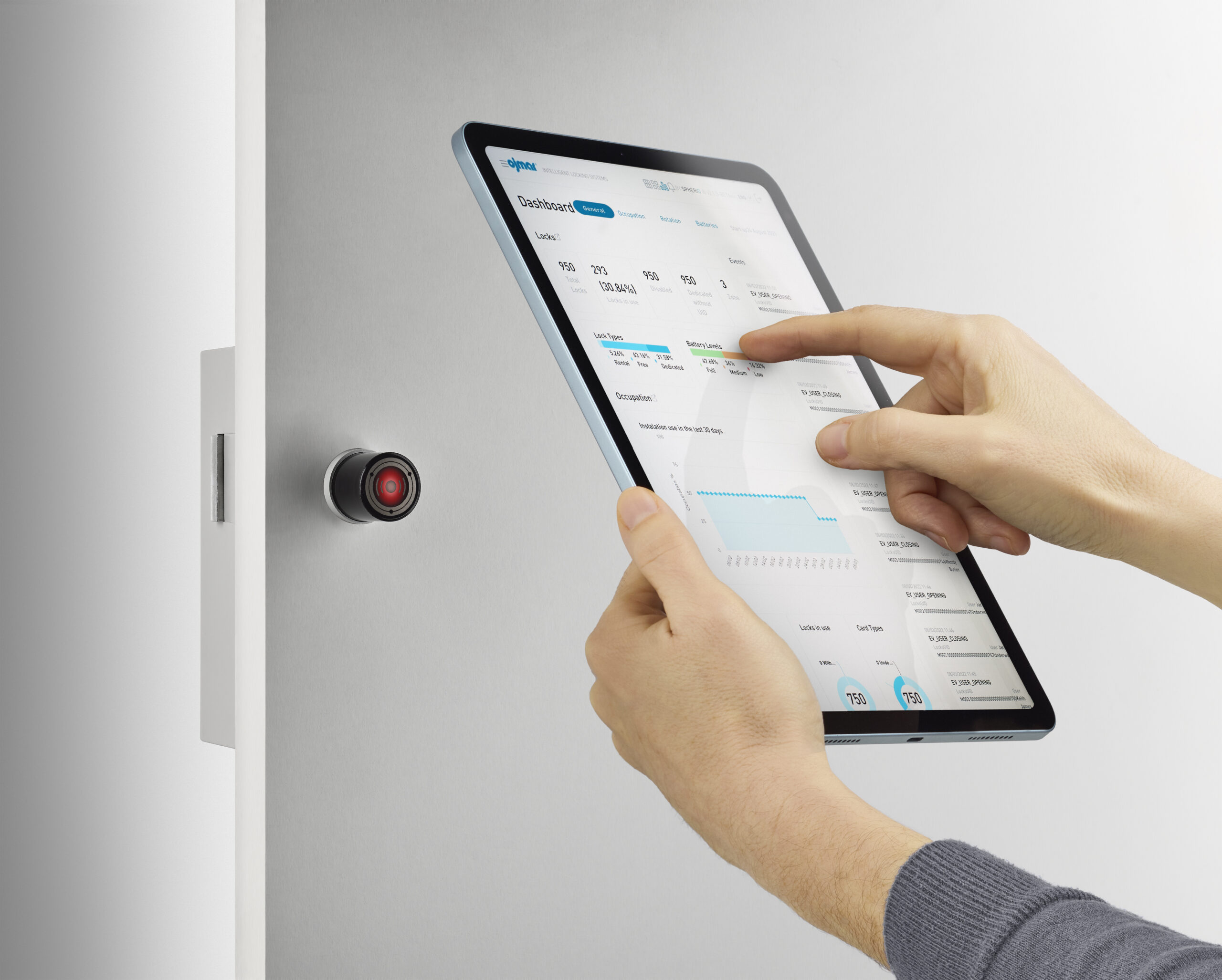
Bradford Systems locker management software allows administrators to change configurations, assign lockers, review usage data, monitor occupancy in real time, and schedule synchronization and notification tasks. To streamline operations, the locking system can be integrated with any ID card system.
Monitor locker usage and occupancy via Ojmar’s cloud-based software, create or download reports and audit trails to match management requirements, view alarms and manage settings and much more.
Connect with Bradford Systems
Fill in below form as complete as possible and one of our representative will be in touch with you shortly
"*" indicates required fields
Locker management made easy.
- Plug & Play: Quick and easy installation without complex and costly hardwiring.
- No Downtime: Operates seamlessly in both online and offline modes.
- Real-Time Monitoring: Monitor battery levels and lock status on any authorized device.
- Remote Locker Management: Manage lockers remotely with ease.
- Flexible Workspace: Perfect for dynamic and evolving workspaces.
Benefits
The perks of using a smart locking system

Save Money
Eliminate maintenance costs associated with managing keys, assigning lockers, and the pain of managing package delivery. Our flexible system will free up time and resources for your staff.

Flexibility
A locker system that works for almost any setting — libraries, offices, package delivery, retail. Smart package management, easy locker assignments for personnel, and integration with third party systems.

Track & Secure
Our locker management system has built-in burglary monitoring, and audit trail capabilities so you know when items are delivered, and who accessed the locker.

Track & Secure
Our locker management system has built-in burglary monitoring and audit trail capabilities so you know who accessed the locker.

Save Money
Eliminate maintenance costs associated with managing keys, assigning lockers, and more. Our flexible system will free up time and resources for your staff.

Flexibility
A locker system that works for almost any setting — libraries, offices, schools, retail. Easy locker assignments for personnel, integration with third-party systems...
Locker Management Software
Simple to Operate...
Both users and operators will benefit from how easy the system is to use. There are no PINs to remember, no mechanical keys to inventory or replace, no locks to change or manage. Lost credentials for a user’s locker can be found on the locker terminal, keeping locker management to a minimum.
Use your existing access credentials or smartphone. End users also gain complete control over their app and can book lockers in advance.
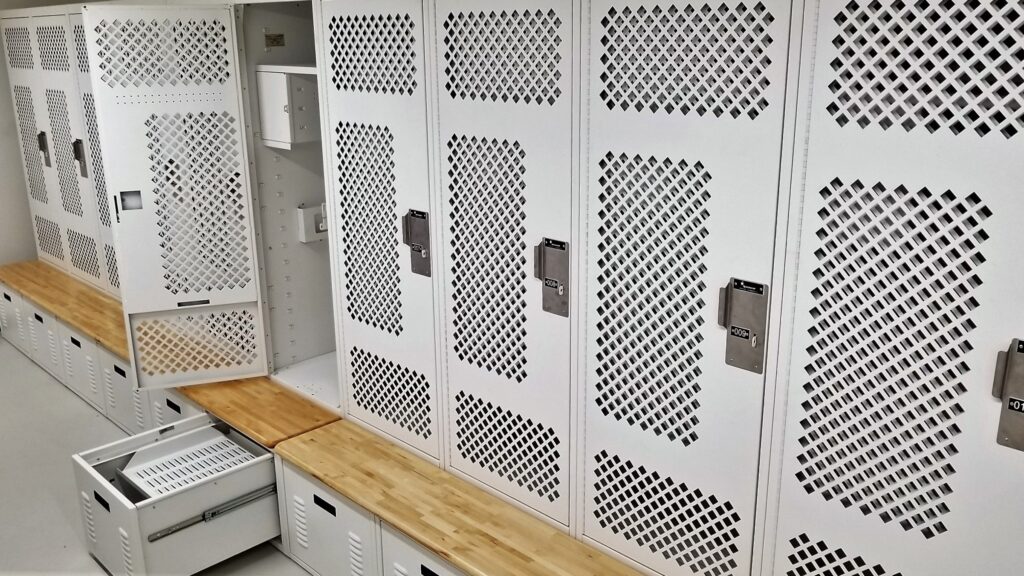
Upgrade an existing locker system or start new. We can provide smart locks that can be installed in both new and existing lockers with either metal or solid-grade laminate doors.
How Locker Management Software Supports Shared and Assigned Storage
Locker management software allows administrators to handle permanent assignments and shared storage without maintaining separate manual records. Some employees need a dedicated locker throughout the workweek, while others use one only during a shift. Administrators can assign lockers to individual users, and employees can book lockers in advance through the app.
Shared storage can be useful in workplaces with rotating shifts or hybrid schedules. A company with 200 employees, for example, may not need 200 lockers if only part of its workforce is on-site at once. However, enough compartments must be available during the busiest periods.
Occupancy reports can help administrators identify peak demand, spot underused locker banks, and decide whether assignments need to change.
Managing User Access and Locker Availability
Employee changes require updates to locker assignments and permissions. When someone joins an organization, transfers departments, or leaves, authorized administrators can use the software to update user access without making changes at individual lockers. This is particularly useful when lockers serve multiple departments or shifts.
Administrators can also use occupancy information and audit trails to investigate reported access problems or determine whether a compartment is assigned or in use. Having that information available remotely can save staff from visiting individual locker banks to check their status.
Organizations with several departments should decide who will oversee each group of lockers. Some may prefer one administrator to handle all assignments, while others may divide responsibilities among department managers. Establishing these roles gives employees a clear point of contact when they encounter an access problem.
Facilities should also establish procedures for reservations that go unused, assignments that expire, and belongings left behind when access ends. Although locker management software provides information to help administrators respond, decisions about reassignment and handling personal property remain the organization’s responsibility.
Choosing Locker Management Software for Your Facility
The right locker management software configuration depends on how many lockers an organization operates and how they’re used. A facility with one locker bank may have simpler administrative needs than one managing storage across several departments or buildings.
Buyers should consider how many employees will use the lockers, who will oversee assignments, and how frequently access permissions may change.
Bradford Systems offers smart locks for compatible new and existing lockers, but doors, locking hardware, and access control systems should be evaluated before an upgrade. Organizations using employee ID cards or smartphones should confirm how those credentials will work with the proposed system.
Daily administrative needs deserve attention during software selection. For example, a manager responsible for several locker locations may need to review occupancy and respond to assignment requests without traveling between buildings. Buyers can use these requirements to assess whether the software’s management features fit their operations.
Facilities planning to add users or locker locations should account for future expansion when selecting software. Bradford Systems can review existing equipment, storage requirements, and daily operations to recommend a locker configuration that meets the facility’s needs.
Learn More About Our Locker Management Software
Fill out the form below or call 1-800-696-3453 to get started.
"*" indicates required fields
Our Experts Will Solve Your Storage Problems
Schedule a free consultation with our team and let’s make space happen!
Locker Software – FAQs
Yes. Most platforms connect with HR systems, IT directories, and package tracking software for seamless workflows.
Admins can view real-time occupancy, usage history, and access logs to improve allocation and security.
Yes. Systems use encrypted communications and strict authentication protocols to prevent unauthorized access.